
Getting Started: Selling A House
Don't see this section in your plan? Go here to find out how to add it.
In the “Selling A House” section we want to clarify your goals around your future home sale. When selling a home we want to understand three things…
- Value of the home: What is the home worth in today’s dollars
- Cost of sale as a percentage of the sale price: This is to cover real estate fees and closing costs and a good estimate is 5%
- Target sale date: When do you expect your home will be sold in the future?
In the Projections section, the cost of sale will be considered an “other” expense in the year of sale and will be added automatically. The asset value will automatically be increased by inflation until we reach the target sale date at which point the home is sold and the proceeds will be automatically allocated to various accounts within the plan.

Add the Selling a House Section to Your Plan
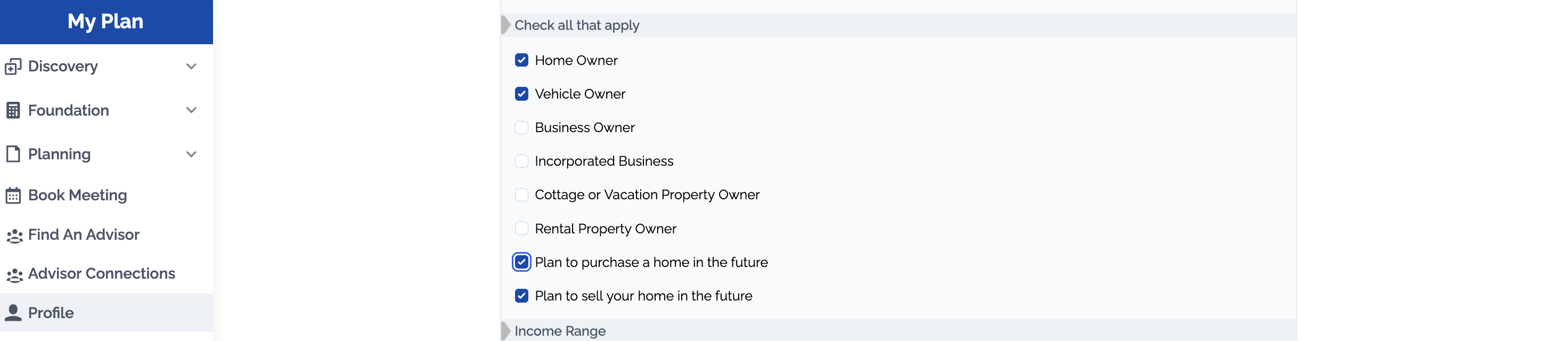
If you don't see the Selling a House Section under the Foundation heading, you can add it by navigating to the Profile Section and selecting "Plan to sell your home in the future"
Paying off a Mortgage at Time of Sale
If you have a mortgage that you want paid off at the time of sale, make sure that this debt is linked to the property.
This is done in the in the Discovery > Debt Section. Use the 'Link to Asset' field and select the property you would like to link the debt to. When the asset is sold, it will now use any available funds from the sale to pay off the debt.
