
FAQ: How to Change my Retirement Age
Your retirement age was initially set when you answered the initial onboarding questions and is stored in the Profile section. It can be changed in either all scenarios or in just one.
At the moment changing the retirement age does not control Income or Expenses, but it does control start of Success Rate analysis, start/stop of decumulation/accumulation strategies etc. We will expand on this soon to include automatic changes to Income and Expenses for retirement age changes.
Exploring Different Retirement Ages:
Although the change in income/expenses is not automatic, you can still explore different retirement ages with the use of overrides. Read this article to see how.
Changing Your Retirement Age for All Scenarios
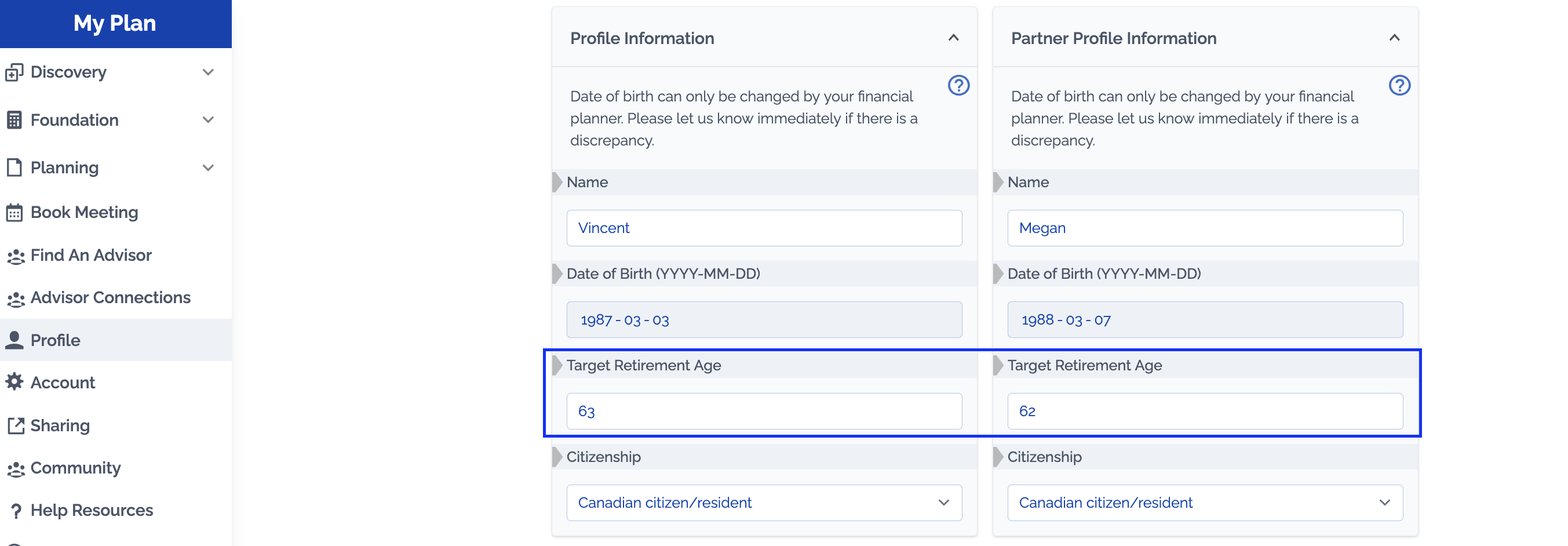
If you want to change the retirement age for all scenarios you can do so in the Profile Section.
Changing Your Retirement Age in One Scenario
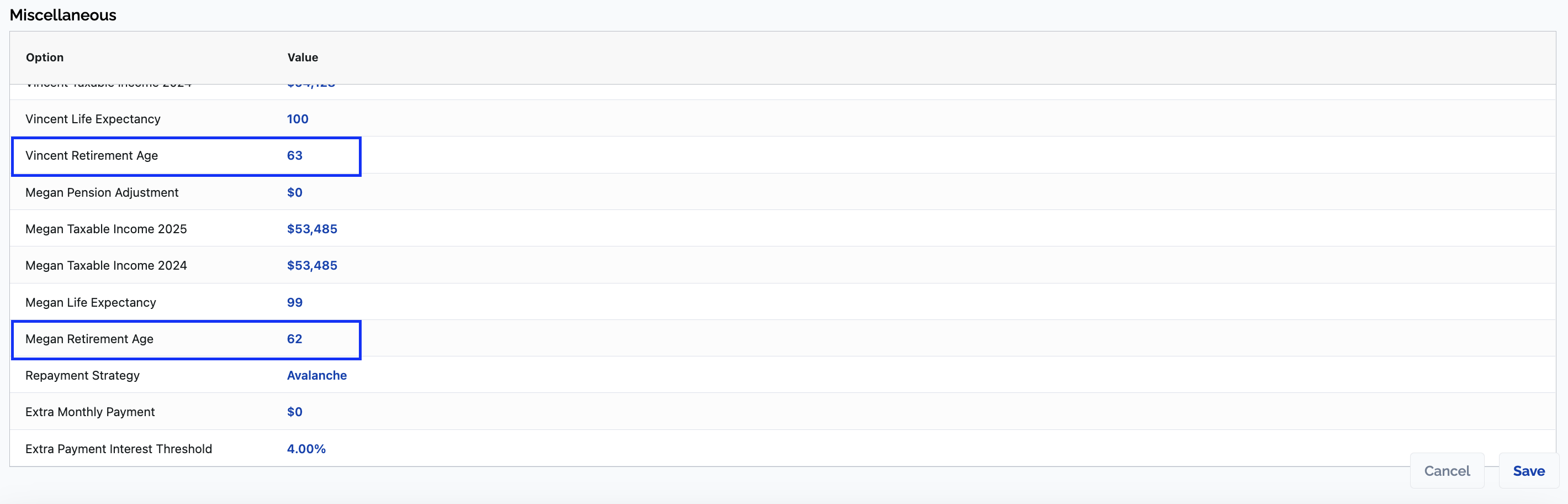
There is also an option to change "Retirement Age" in Advanced Options. This allows you to compare different retirement ages between scenarios.