
FAQ: How Do I Model RRSP or FHSA Carry Forward Deductions?
If you have a "carried forward" tax deduction from a previous year, such as an RRSP contribution you made but didn't claim or an FHSA deduction you're saving for a higher-income year, you can manually apply these to your plan using the Projection Table.
Step 1: Navigate to the Projection Table
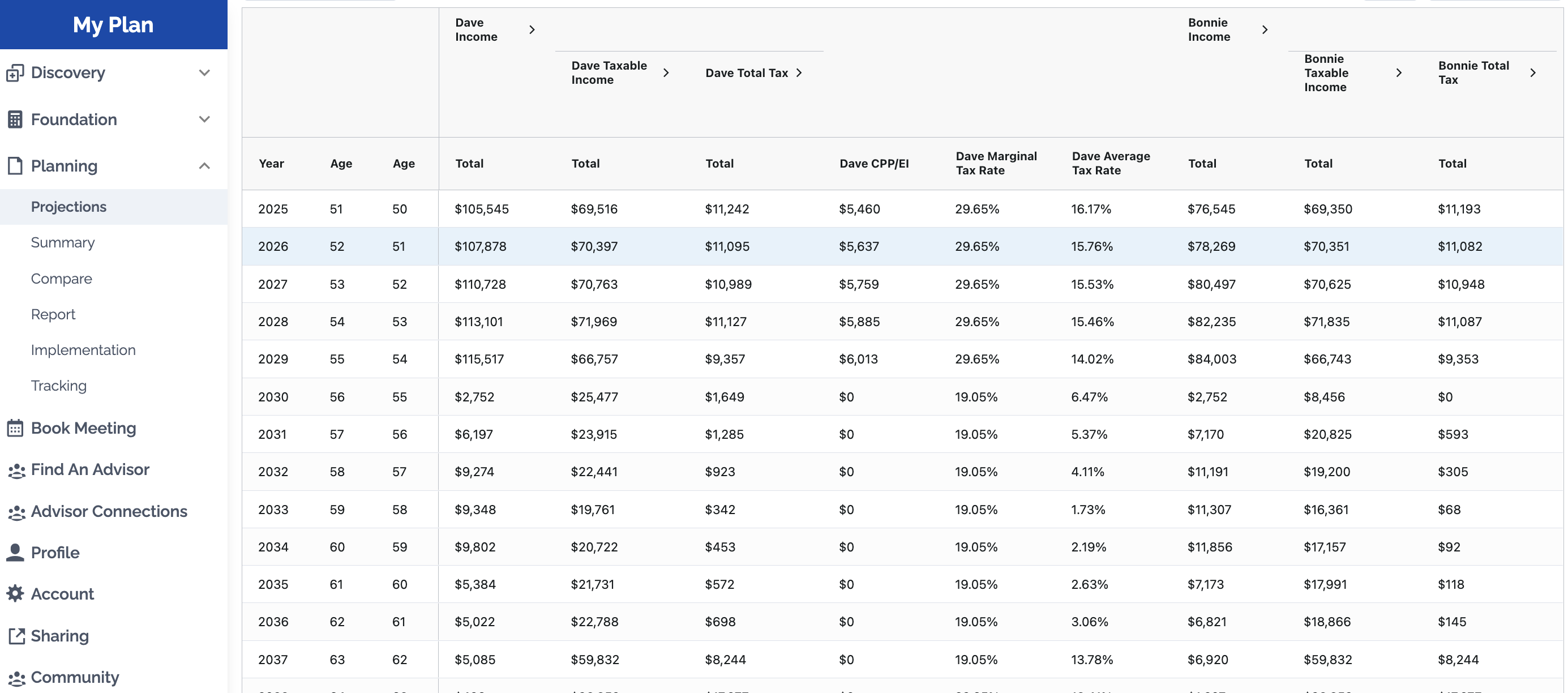
- Go to Planning > Projections in the left-hand navigation.
- Scroll down past the charts to the Projection Table.
Step 2: Expand the Taxable Income Column
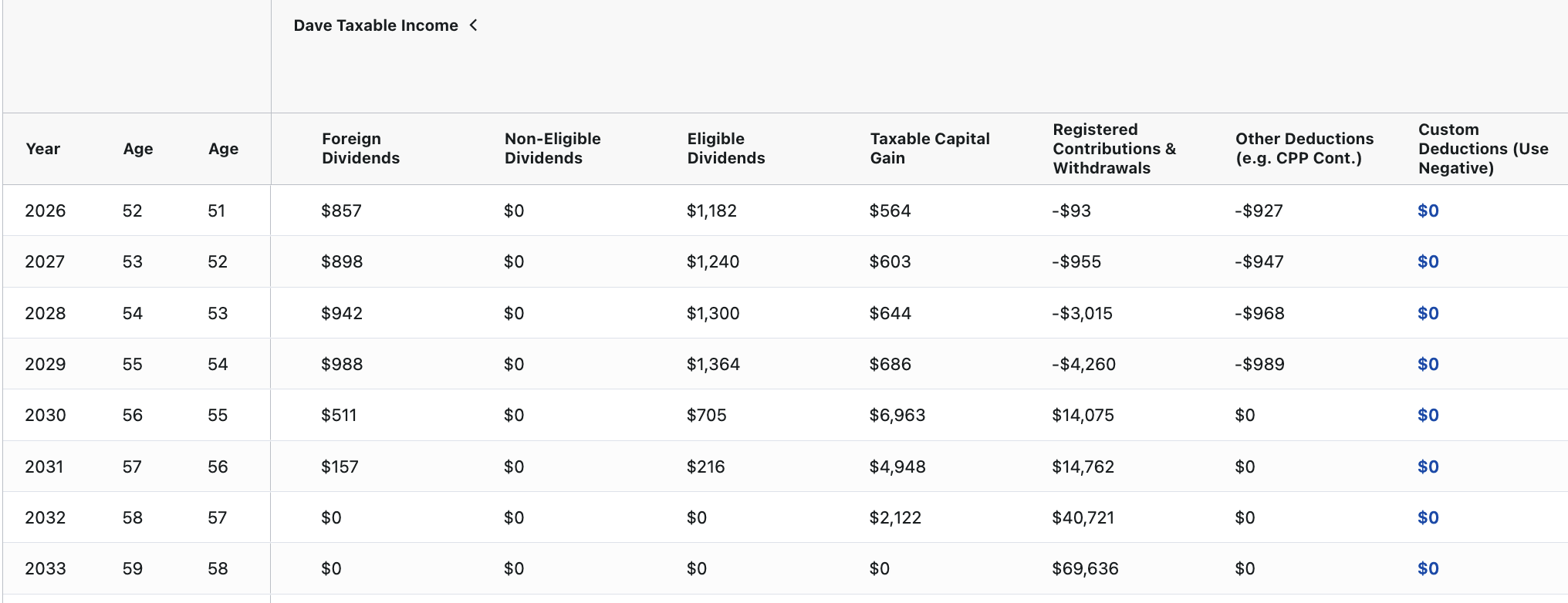
- Locate the Taxable Income column for the individual receiving the deduction.
- Click the ">" arrow next to the column header to expand the detailed sub-columns.
- Find the column labeled Custom Deductions.
Step 3: Enter the Manual Override
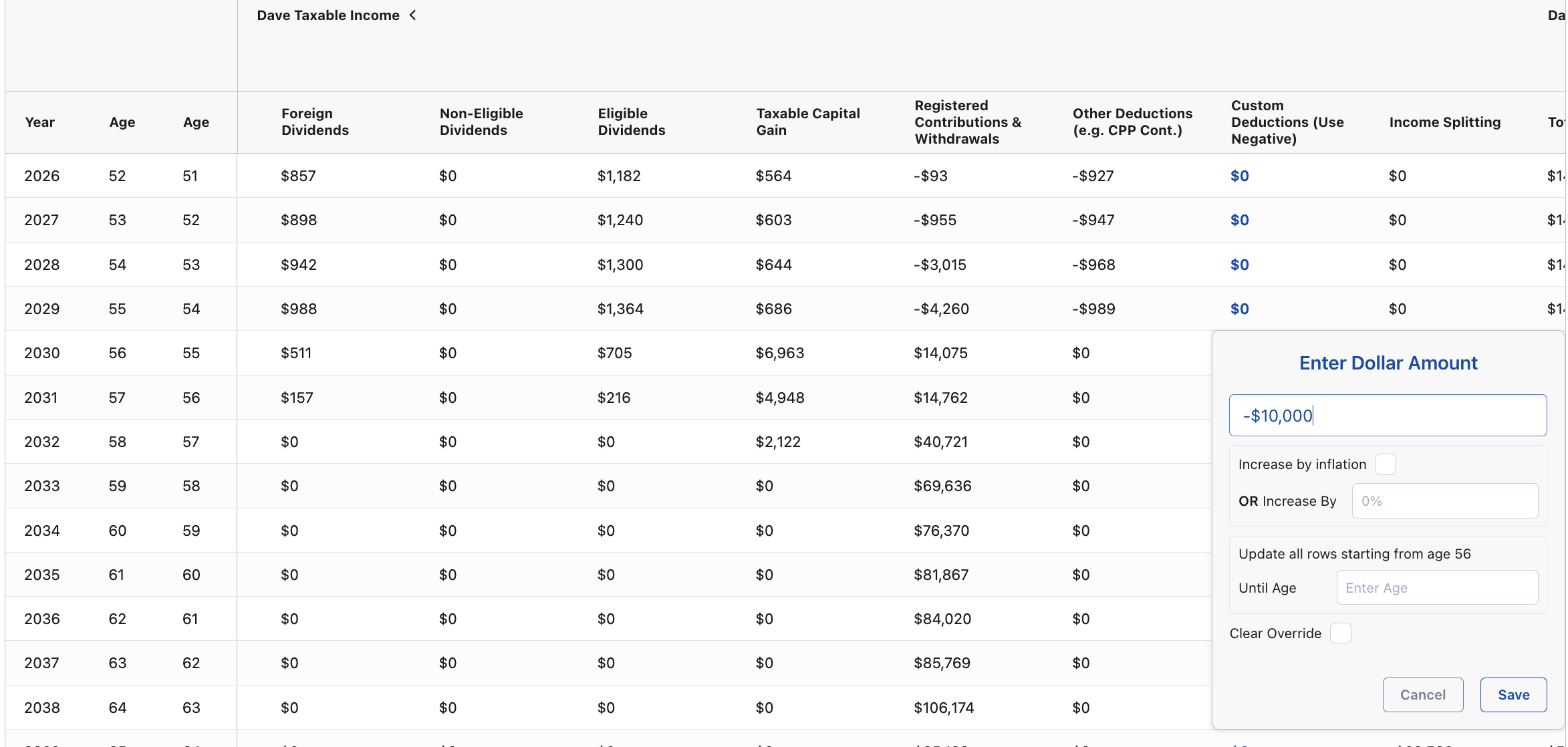
- Find the specific year you want to apply the carry forward deduction.
- Double-click the blue value in that year's Custom Deductions cell.
- Enter the deduction amount as a negative value (e.g., -10,000).
- Click Save.
Step 4: Recalculate the Plan
- Once you save the override, the value will turn Red, indicating a manual override is active.
- Click the Recalculate button at the top right of the section to update the tax calculations and see the impact on your net cash flow and "Total Tax" for that year.
Important Considerations for RRSP & FHSA
- Contribution vs. Deduction: In Adviice, the software typically assumes you deduct RRSP and FHSA contributions in the year they are made. Use this method only for amounts contributed in the past (outside of the plan) that you are now choosing to deduct.
- Tracking Room: The platform tracks current contribution room based on your inputs in Discovery > Tax & Benefits. However, manual overrides in the "Custom Deductions" column do not automatically reduce your remaining RRSP or FHSA room in the software's logic; ensure your manual entries align with your actual available room from your CRA Notice of Assessment.